



 Installare ed automatizzare l'installazione di linux
Quando installiamo linux sui nostri PC (o quelli delle scuole) quali passi facciamo?
Magari lo facciamo così abitualmente che forse non ci facciamo nemmeno più caso...
Proviamo a vederli velocemente insieme
Installare linuxInstallare linuxLa risposta è ovvia, ma capiamolo insieme...
Vediamo alcuni passi elencati precedentemente
Li vediamo per Mageia e Debian, ma sono analoghi anche Fedora, CentOS ed altre distribuzioni
Installare linux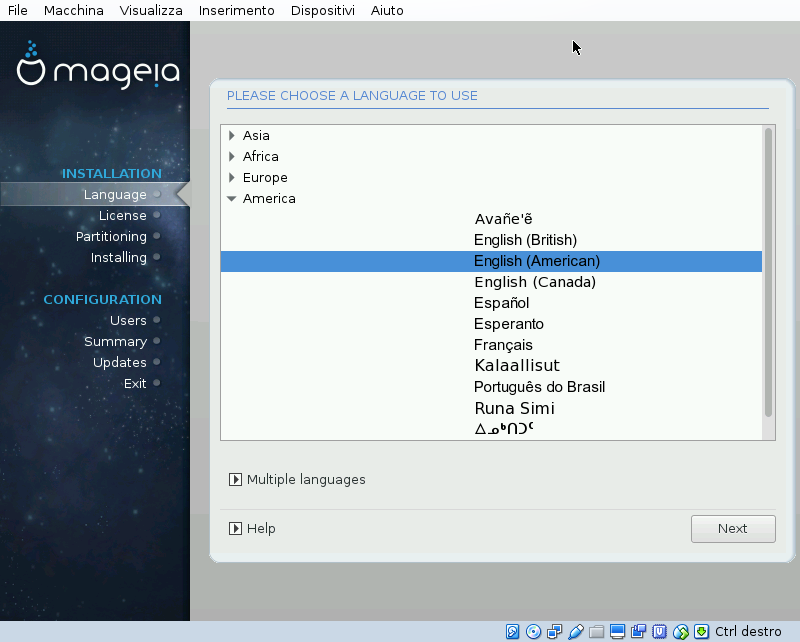 Installare linux
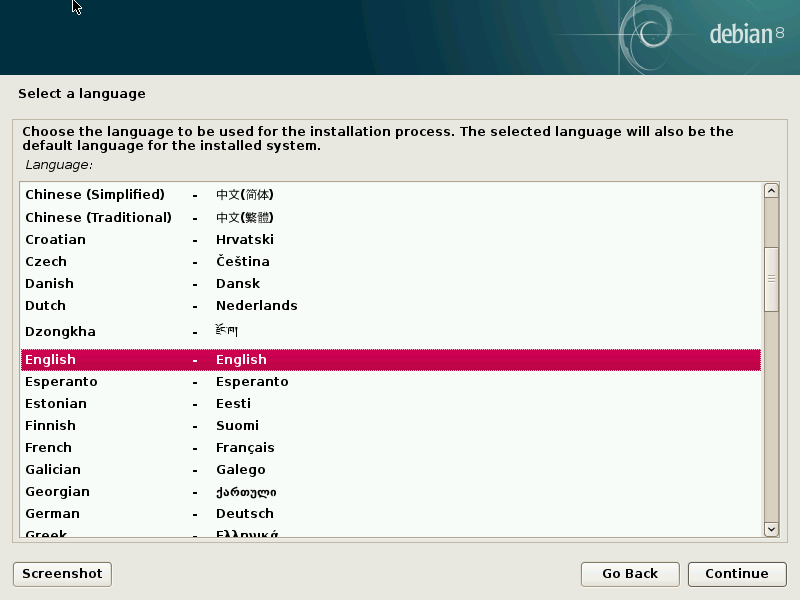 Installare linux
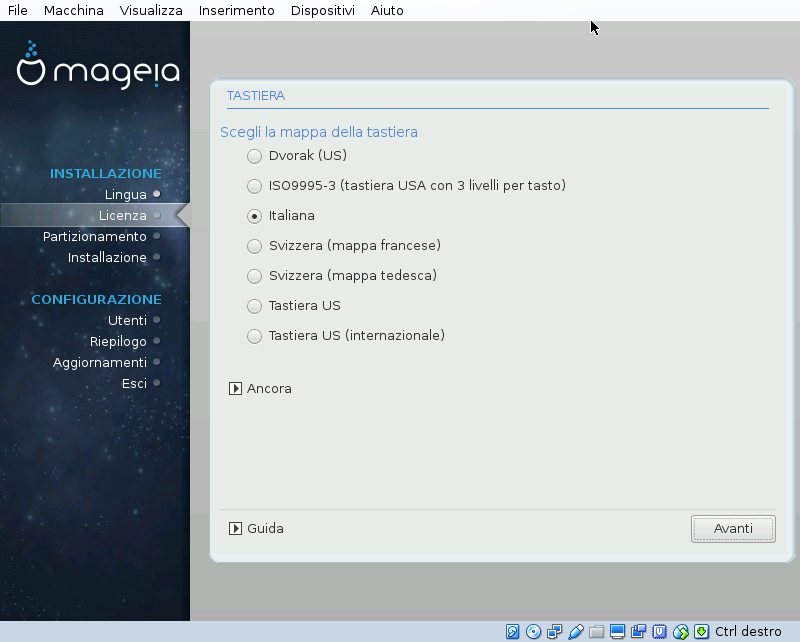 Installare linux
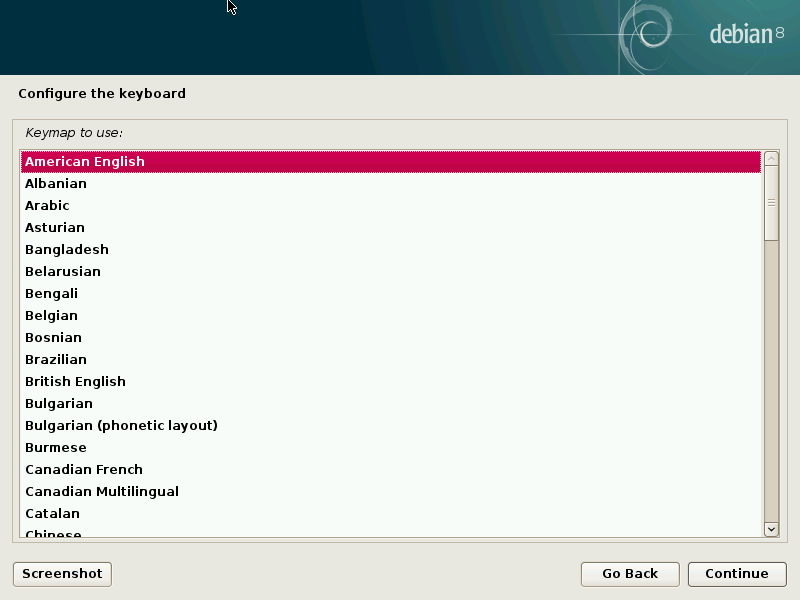 Installare linux
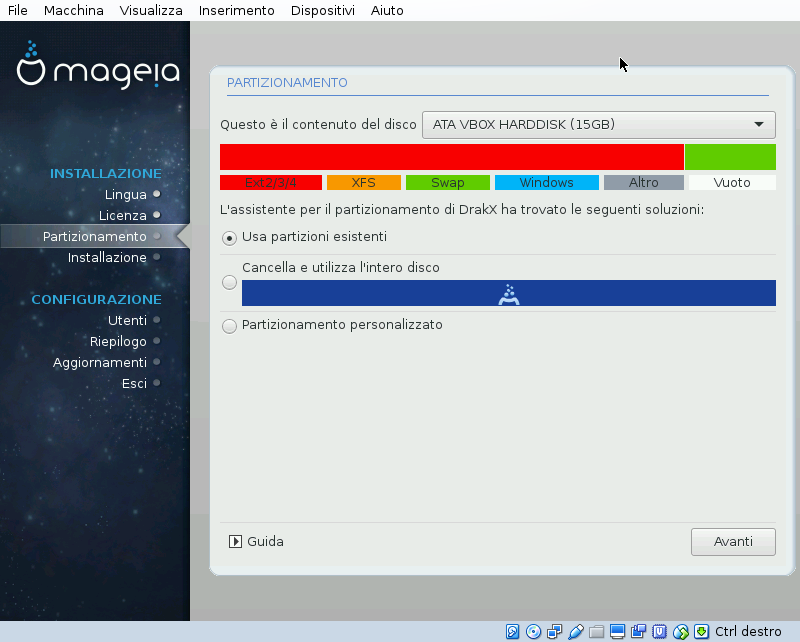 Installare linux
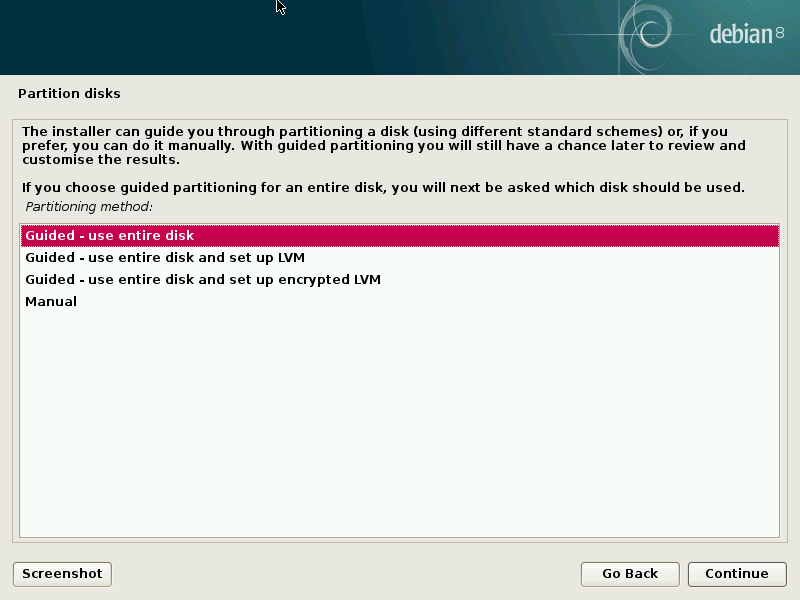 Installare linux
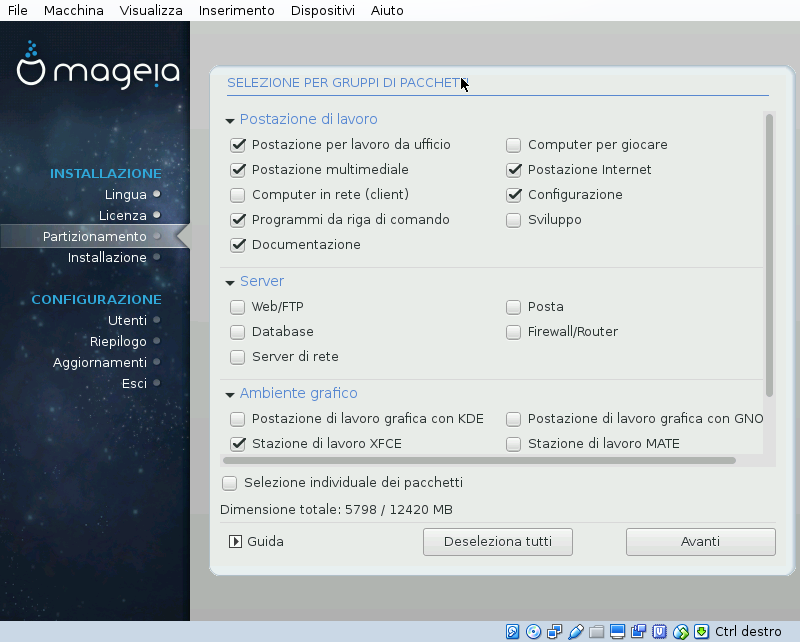 Installare linux
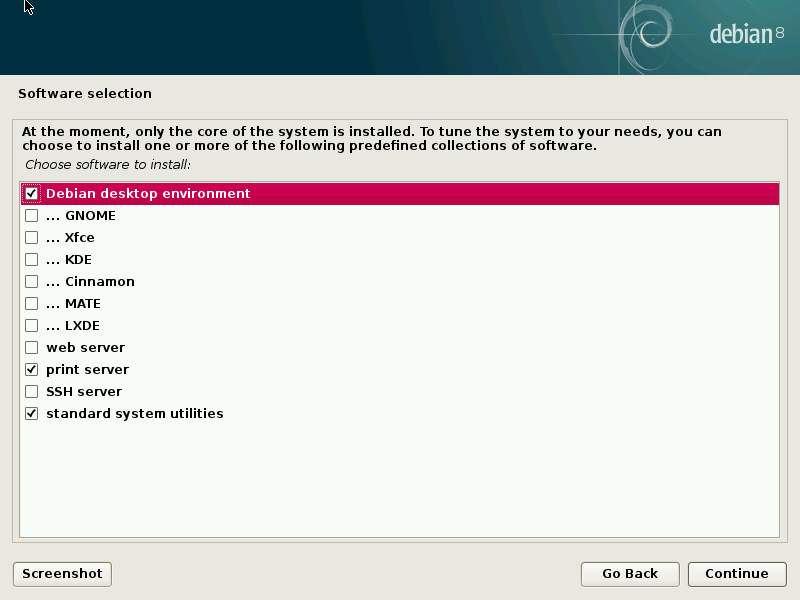 Installare linux
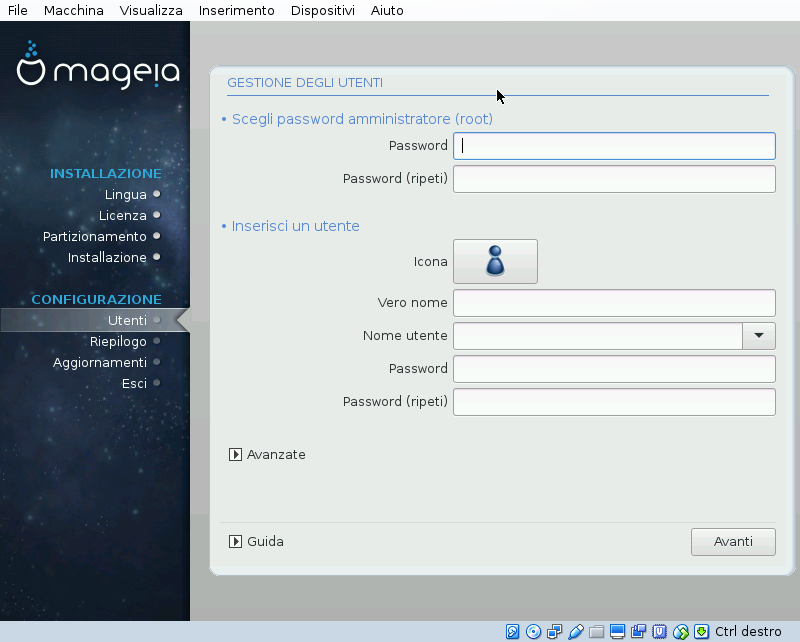 Installare linux
| Root password | Primo utente |
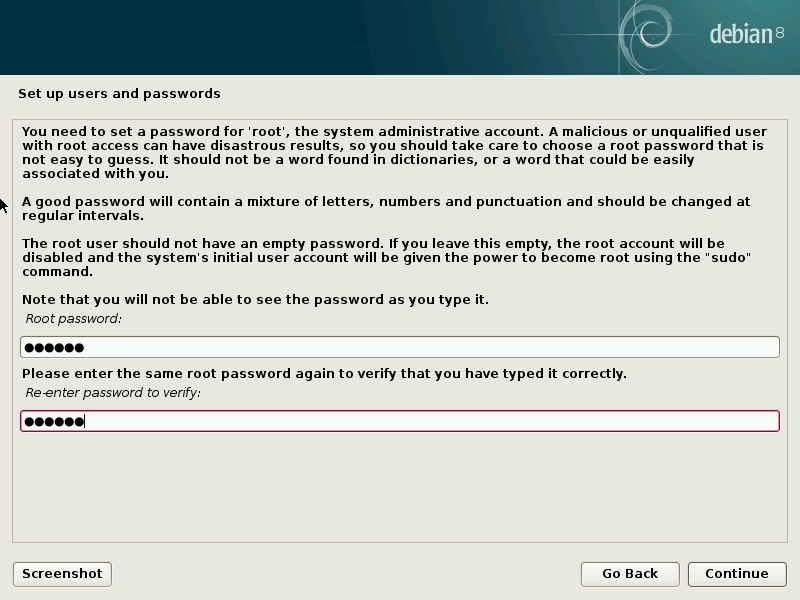 |
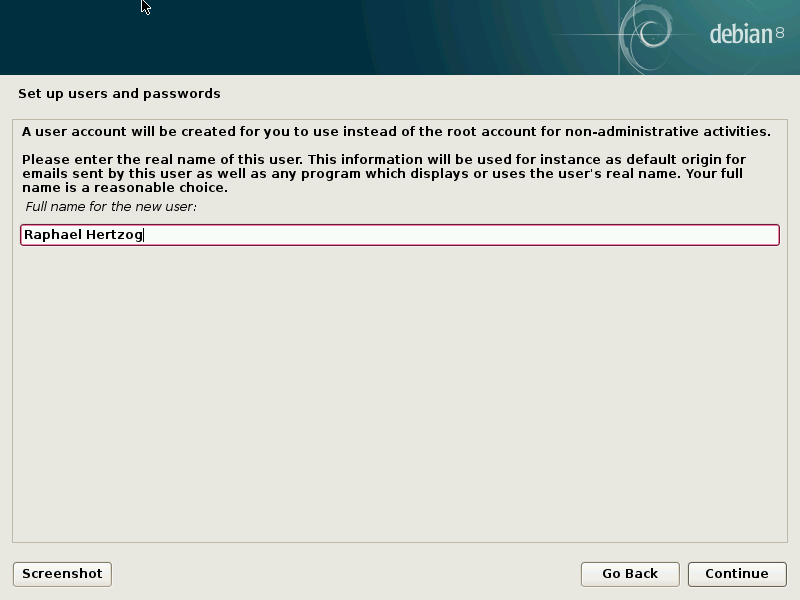 |
Installare ed automatizzare l'installazione di linuxPosso eseguire tutti quei passi automaticamente senza interagire con l'installer?
Certo RedHat ha inventato un meccanismo che Debian ed Ubuntu hanno importato
Quale?
Si chiama kickstart, in Debian ed Ubuntu preseed
Come usare il kickstart| Premere tab su Install | Modificare la linea di boot con ks=... come sotto usando il percorso corretto |
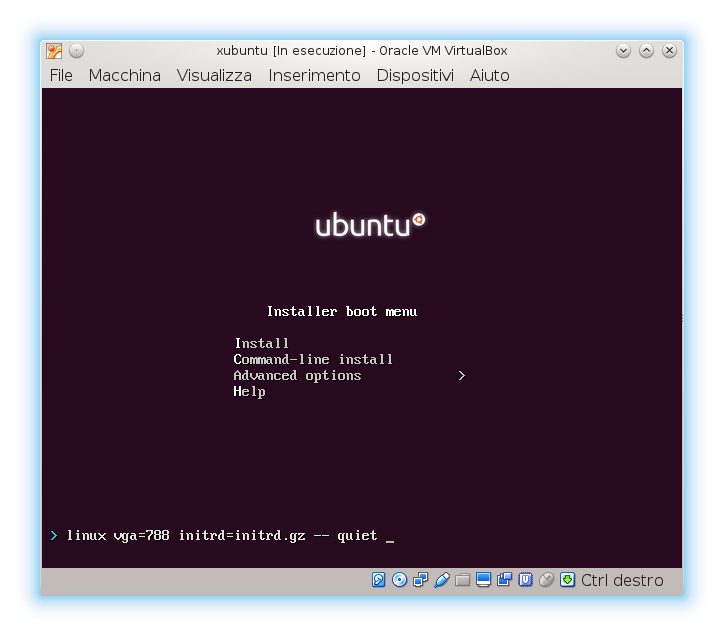 |
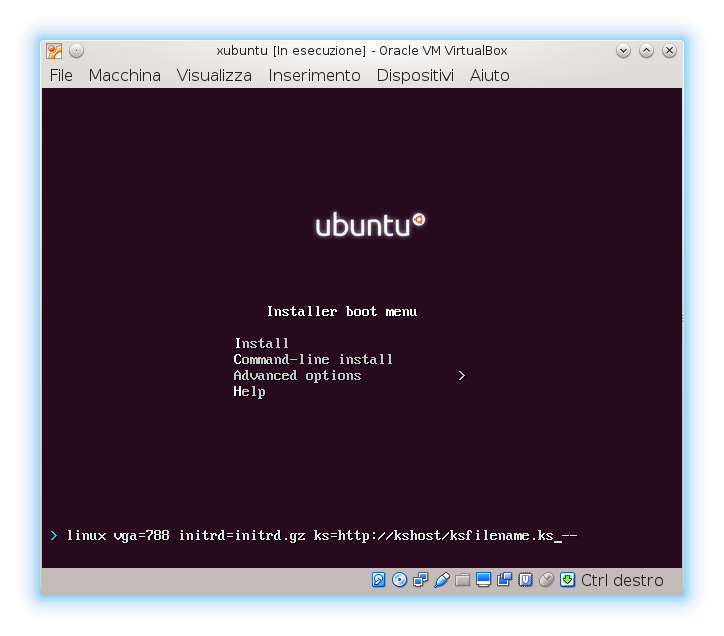 |
ATTENZIONE: la tastiera in questa fase è quella americana
Automatizzare l'installazione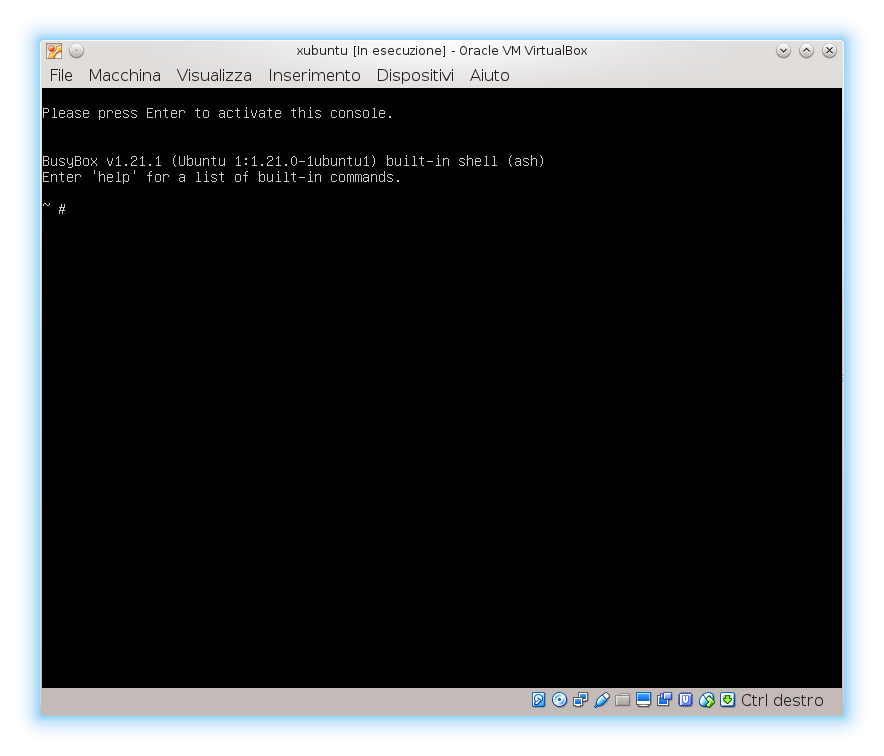
ATTENZIONE: Alt-f1 per tornare alla finestra principale
Spiegare KS aka KickStartLo proviamo a vedere assieme?
Riprendiamo alcuni passi spiegati prima...
Spiegare KS aka KickStartSpiegare KS aka KickStart# System language lang it_IT # Language modules to install langsupport it_IT # System keyboard keyboard it # System mouse mouse # System timezone timezone Europe/Rome
Spiegare KS aka KickStart# Network information # network devices are detected randomly so we # ksdevice=eth0 to ksdevice=eth1 #network --bootproto=dhcp --device=eth0 network --bootproto=dhcp #network --device=eth1 --bootproto=static #--ip=192.168.56.254 #--netmask=255.255.255.0 \ #--nameserver=192.168.56.1 #--gateway=192.168.56.1 #
Spiegare KS aka KickStart# Partition clearing information clearpart --all --initlabel # The presently available methods are: # - regular: use the usual partition types # - lvm: use LVM to partition the disk # - crypto: use LVM and encrypted partition preseed partman-auto/method string regular # Choose one of the three: # - atomic: all files in one partition # - home: separate /home # - multi: separate /home, /usr, /var, /tmp preseed partman-auto/choose_recipe select atomic
Spiegare KS aka KickStart# Advanced partition #preseed partman-auto-lvm/guided_size string 7680MB #part /boot --fstype=ext4 --size=512 --asprimary #part pv.1 --grow --size=1 --asprimary #volgroup vg0 --pesize=4096 pv.1 #logvol / --fstype=ext4 --name=root --vgname=vg0 --size=1024 #logvol /usr --fstype=ext4 --name=usr --vgname=vg0 --size=2048 #logvol /var --fstype=ext4 --name=var --vgname=vg0 --size=1536 #logvol swap --name=swap --vgname=vg0 --size=2048 --maxsize=2048 #logvol /home --fstype=ext4 --name=home --vgname=vg0 --size=512
Spiegare KS aka KickStart# This makes partman automatically partition without confirmation, provided # that you told it what to do using one of the methods above. preseed partman-partitioning/confirm_write_new_label boolean true preseed partman/choose_partition select finish preseed partman/confirm boolean true preseed partman/confirm_nooverwrite boolean true
Spiegare KS aka KickStart# Local Ubuntu mirror setup # example is http://192.168.1.1/mirror/ubuntu # # Uncomment next if your mirror is using ftp instead of http #preseed mirror/protocol string ftp #preseed mirror/country string manual #preseed mirror/http/hostname string 192.168.1.1 #preseed mirror/http/directory string /mirror/ubuntu #preseed mirror/http/proxy string # Uncomment next if you need to set the distro codename # for local mirror settings #preseed mirror/codename string natty #preseed mirror/suite string natty
Spiegare KS aka KickStart%packages
Spiegare KS aka KickStart# Initial user (will have sudo so no need for root) #To skip initial user (root only). # user --disabled user jdoe --fullname "John Doe" --password hunter2
Spiegare KS aka KickStart%post # put things into /opt/ALID/locals mkdir -p /opt/ALID/locals chmod 755 /opt/ALID/ chmod 755 /opt/ALID/locals ... wget www.alid.it/laravaelafava/myscript ./myscript
Spiegare KS aka KickStart# Reboot after installation reboot
Spiegare KS aka KickStartInformazioni aggiuntivi su kickstart